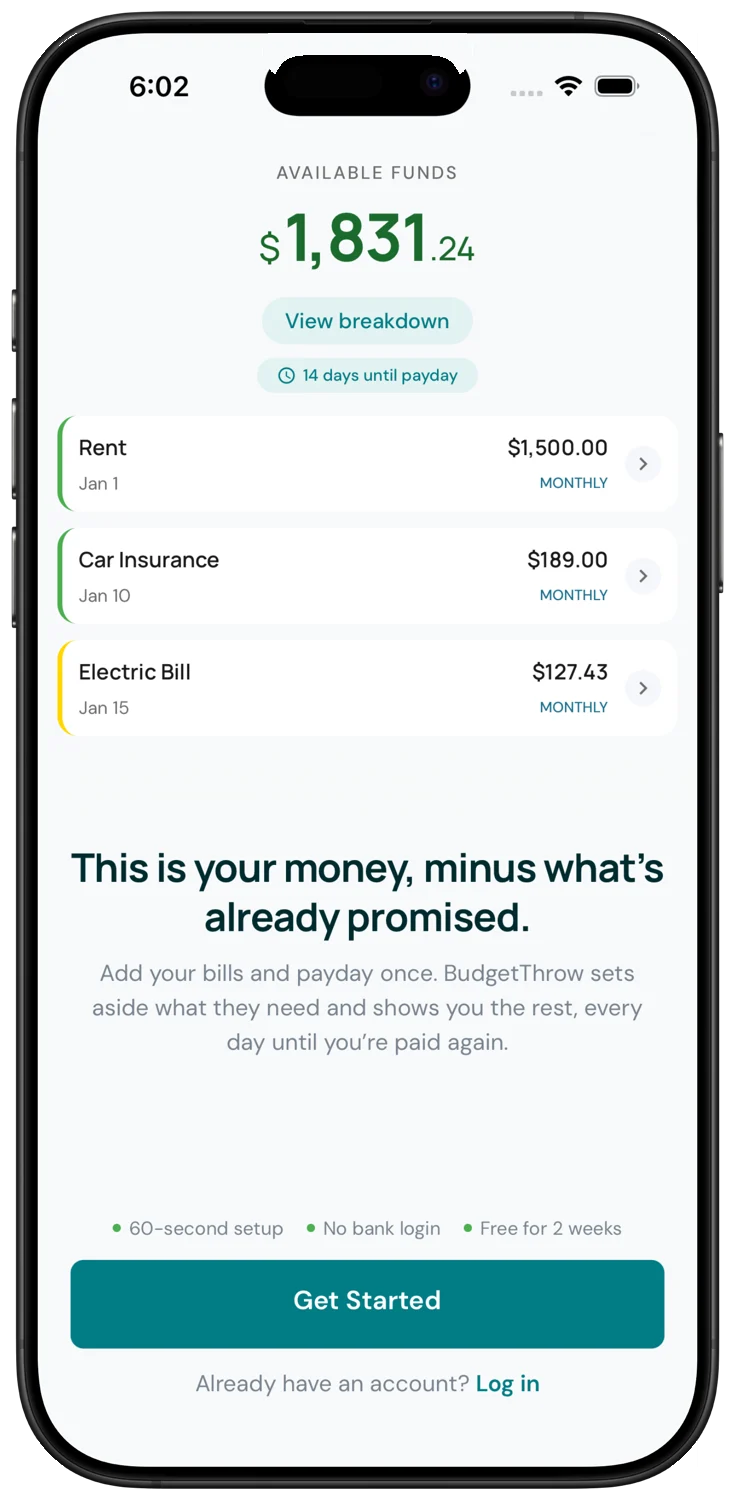
Your bank shows what you have.
BudgetThrow shows what you can spend.
It subtracts the bills due before your next payday and leaves you the number that is actually safe to spend. No bank login. You type your balance, it does the math.
Three things, then you are done for the week
Type what is in checking
Open your bank app, read the number, type it in. That is the whole sync. Nothing connects to your account.
Add the bills you pay
Rent, phone, car, streaming. Tell it how often, and it lines them up against your paydays.
Mark bills as they go
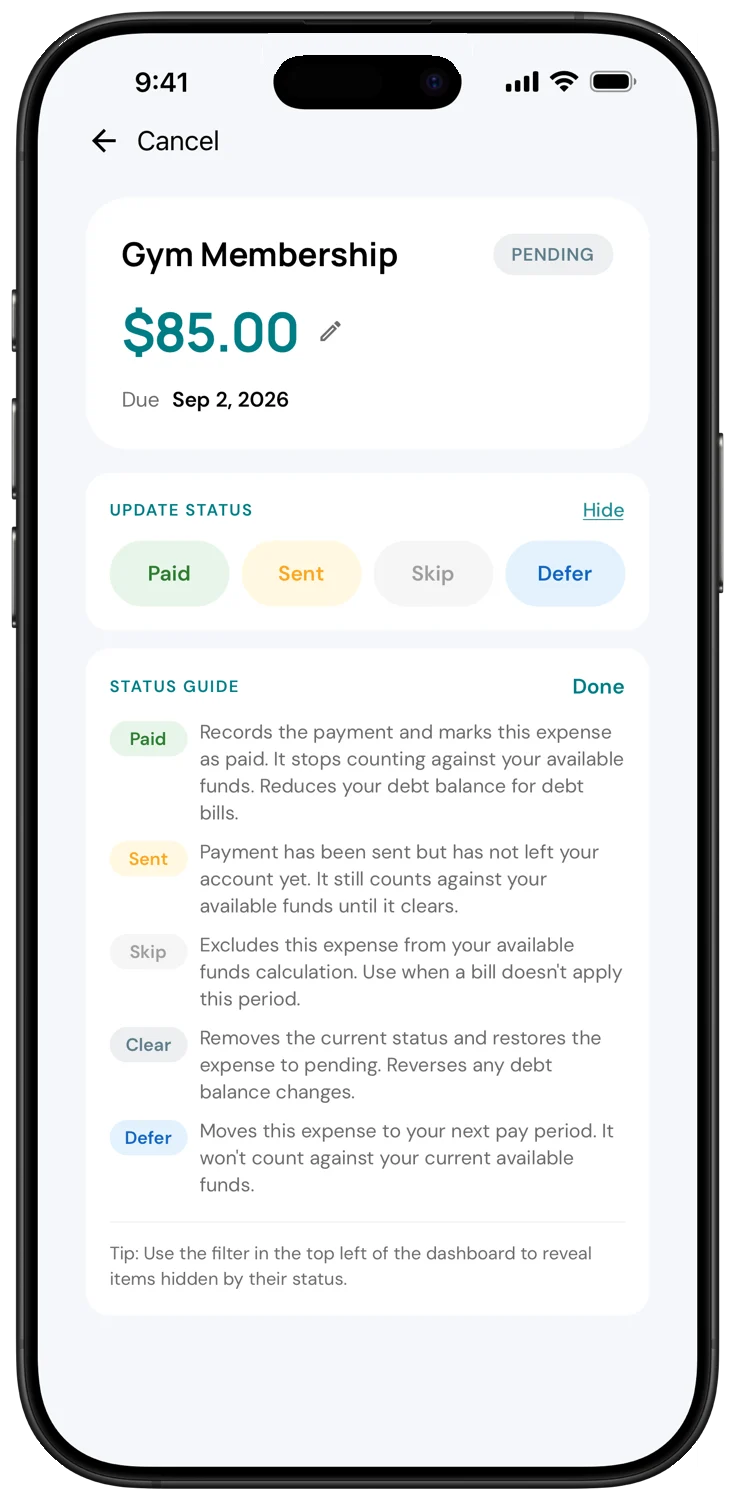
Pending is due. Sent is on its way out and already subtracted. Paid has cleared. The big number is always what is left.
Try it with made-up numbers
Tick the bills you pay before your next check and watch the second number move. The first one never does.
One number, and it is the right one
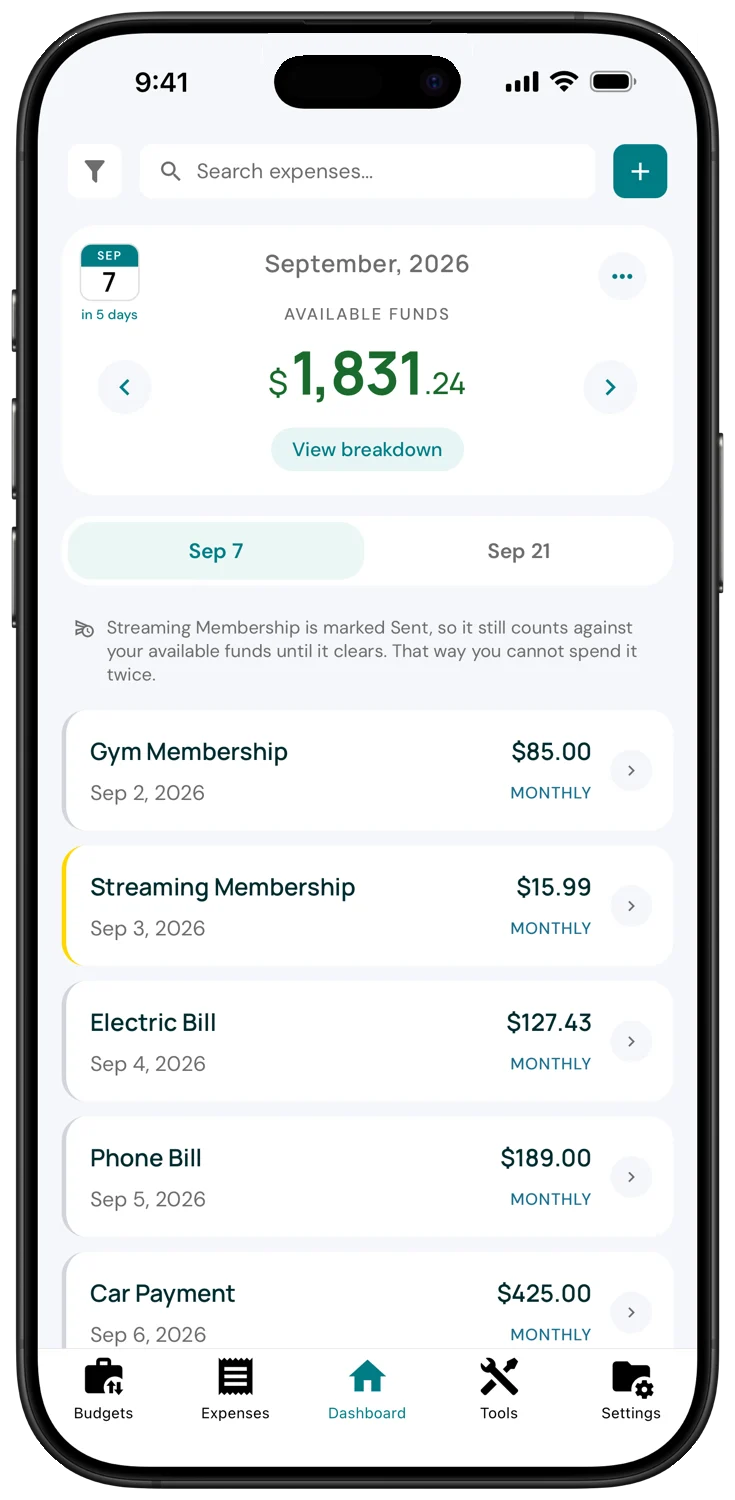
The dashboard shows what is left after every bill due before your next check. Tap the date tabs to see the next pay period before it starts.
- Countdown to payday
- Bills due in this period, in order
- Peek at the next period any time
See the math, not just the answer
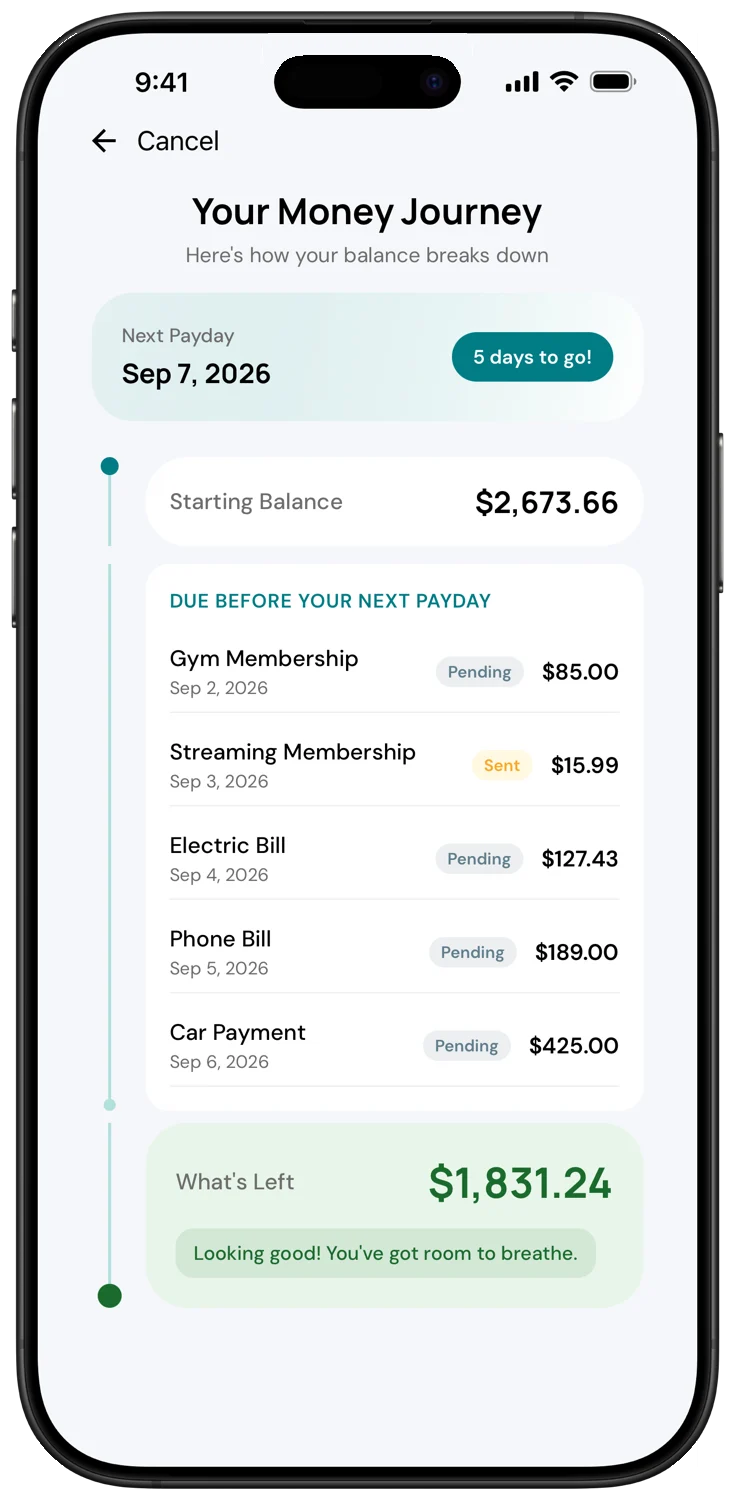
Starting balance at the top, every bill in between, what is left at the bottom. When a number surprises you, this is where you find out why.
- Every bill until payday, dated
- Sent and Pending shown side by side
- Past periods kept as a ledger
Sent is the state your bank forgets
You paid the electric bill Tuesday. The bank still shows the money on Thursday. BudgetThrow does not. Mark it Sent and it is out of your spendable number the moment you tap.
- Pending, Sent, Paid
- Who marked it, when you share a budget
- One-time expenses alongside recurring bills
The rest of the app
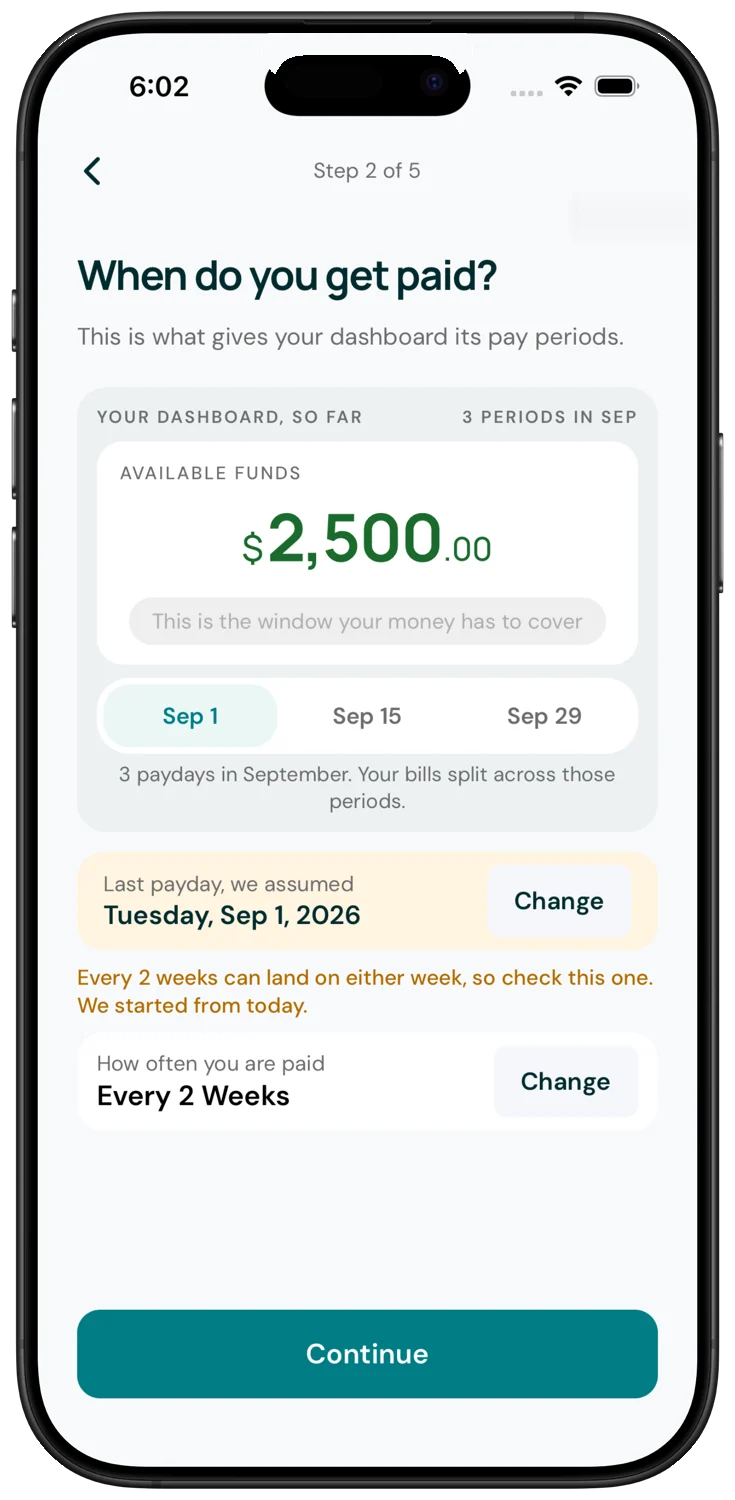
Set up in a few minutes. Everything runs on your pay schedule, whether that is weekly, every two weeks, twice a month or monthly.
Two weeks free, then pick one
Every feature is in both plans. The yearly plan just costs less.
Monthly
Month to month, no commitment
- Available Funds until payday
- Share a budget with a partner
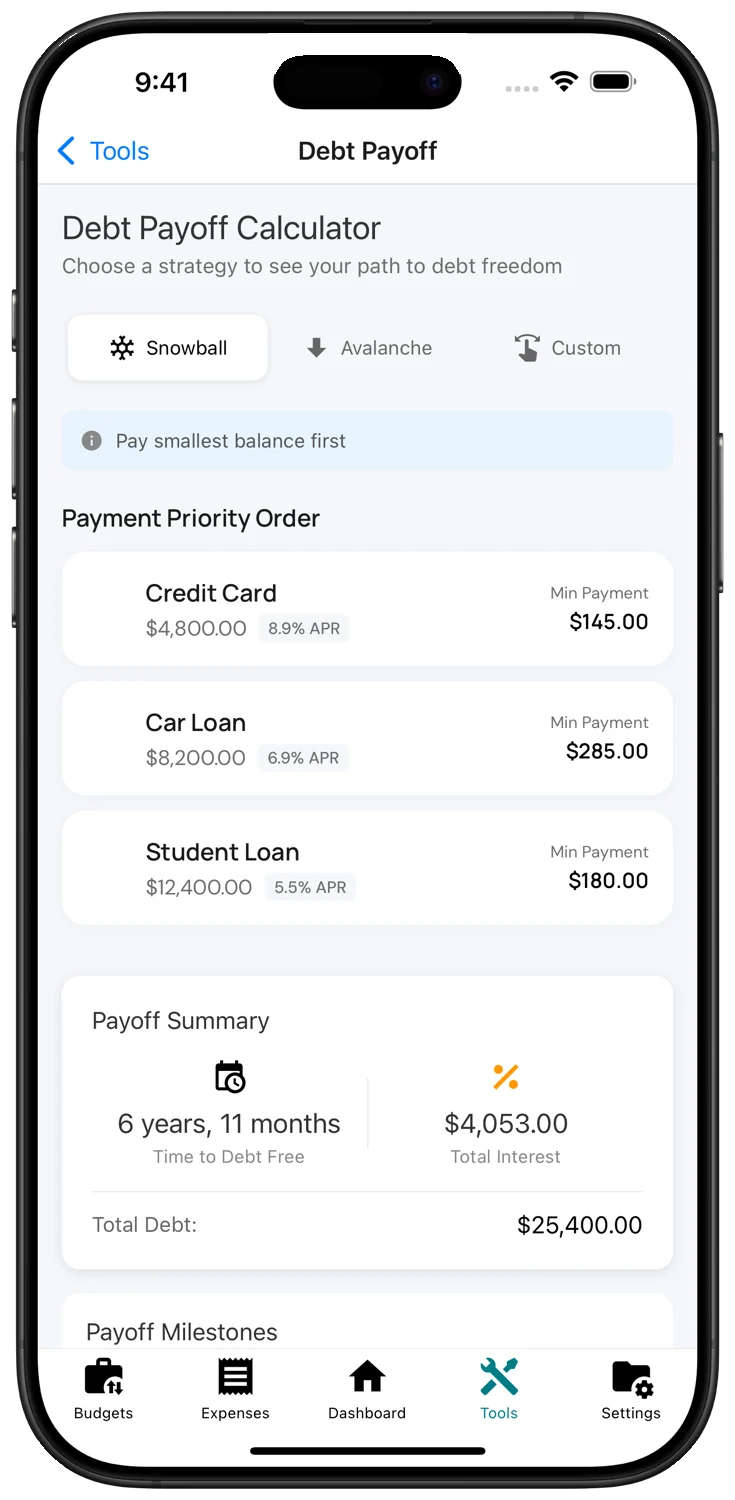
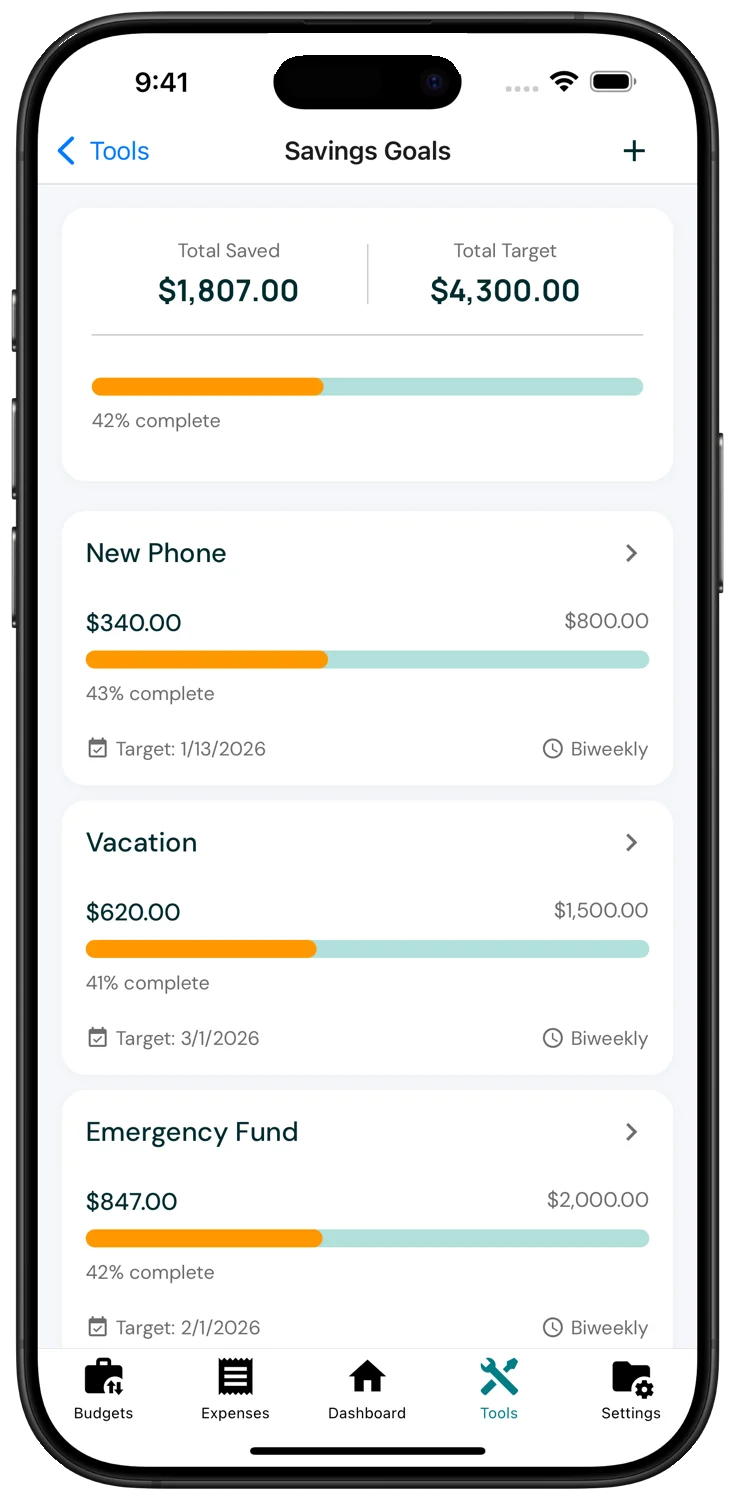
- Debt payoff and savings goals
- Cancel any time in Settings
Yearly
Save 33% against monthly
- Everything in Monthly
- One charge a year, easy to forget in a good way
- Keeps a one-person app going
Billed through the App Store. Prices in USD.
Things people ask
Do I have to connect my bank?
No. You type in your checking balance whenever you want it refreshed. Most people do it once or twice a week. Nothing connects to your bank and no login is stored.
What does Sent mean?
Sent is for a bill you have paid that has not cleared yet. The money is on its way out, so BudgetThrow already subtracts it. When it clears at the bank, mark it Paid.
Can my partner use it too?
Yes. Invite them to your budget and you both see the same Available Funds. Bills show who marked them.
Is my data private?
Amounts are encrypted on your phone before they are stored, and there is no bank connection to leak. Read the privacy policy for the details.
What if I get paid on an odd schedule?
Weekly, every two weeks, twice a month and monthly are all built in, and you can change it later without starting over.
Is there an Android version?
Not yet. BudgetThrow is iPhone only for now.
Know the number before you spend it.
Two weeks free. Set up in the time it takes to find your bank app.
Download on the App StoreBuilt and supported by one person in Huntsville, Alabama. Questions go to a human.